


Engineering
MongoDB Atlas vs Supabase for SaaS (2026)
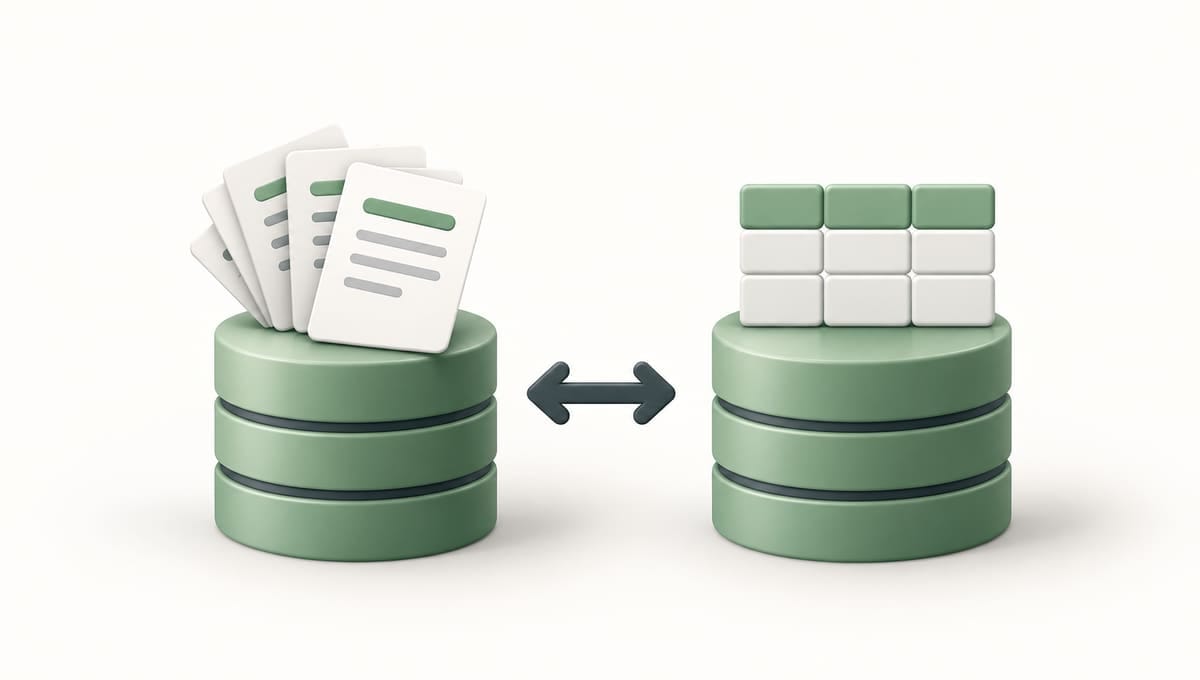
Founders comparing MongoDB Atlas and Supabase usually think they're choosing a database. They're choosing a bundle. Atlas sells a document database with search, vector search and triggers attached; Supabase sells Postgres with auth, file storage, realtime and an API attached. Since MongoDB retired most of its App Services backend in September 2025, the choice decides how much backend you build yourself.
Should a SaaS use MongoDB Atlas or Supabase?
For most SaaS products, use Supabase: it's Postgres plus auth, storage, realtime and an auto-generated API for $25 a month, and Row-Level Security makes tenant isolation a database guarantee. Choose MongoDB Atlas when your data is genuinely document-shaped, your team is fluent in MongoDB, or built-in search and sharding matter more than a backend in a box.
Whether documents or relational tables fit your data is the engine question, argued in Postgres vs MongoDB for a SaaS. This post compares the platforms: what each includes, what it costs with data in London, and how each keeps tenants apart.
How do MongoDB Atlas and Supabase compare?
Prices are in USD as of October 2026, from MongoDB's pricing page and its pricing calculator (AWS, London), and Supabase's pricing page. Vendors change pricing, so check before you commit.
| MongoDB Atlas | Supabase | |
|---|---|---|
| Data model | Documents (BSON) in collections | Relational tables in Postgres |
| Schema flexibility | Per document; validation optional | Enforced schema; jsonb columns for flexible fields |
| Transactions | Multi-document ACID | Full ACID |
| Auth included | No; App Services auth was retired in 2025 | Yes; 50,000 MAU on Free, 100,000 on Pro |
| Generated API | No; the Data API was retired in 2025 | REST and GraphQL from your schema |
| Realtime | Change streams, consumed by your own server | Realtime service: row changes, broadcast, presence |
| Full-text search | Atlas Search, built on Apache Lucene | Postgres full-text search |
| Vector search | Vector Search on every tier; 3 indexes on Free, 10 on Flex | pgvector |
| Free tier | Free cluster (formerly M0): 512 MB, 100 operations a second | 2 active projects, 500 MB, paused after a week idle |
| Entry paid tier | Flex: $8–$30/month by throughput, 5 GB | Pro: $25/month, 8 GB disk |
| Mid-size tier (4 GB RAM) | M20 in London: ~$156/month | Pro with Medium compute: $75/month |
| Scaling | Bigger tiers, auto-scaling; sharding from M30 | Bigger compute sizes; read replicas |
| London region | Dedicated M10 and up only | Yes (eu-west-2) |
| Backups and PITR | Flex: daily, last 8 kept. M10 and up: scheduled snapshots, plus continuous backup with PITR | Pro: daily, kept 7 days. PITR from $100/month |
| Lock-in | Standard MongoDB API; Triggers and Charts are Atlas-only | Standard Postgres; Auth and Storage less portable |
Two rows decide most choices. London region: on AWS, Google Cloud and Azure, Atlas doesn't offer its Free and Flex tiers in London — the nearest are Belgium, Paris and Ireland — so UK-resident data starts at a dedicated M10. Auth included: Supabase hands you sign-in and an API; Atlas hands you a connection string.
What does each platform bundle in 2026?
MongoDB Atlas is a managed database platform. Every cluster, the free one included, is a three-node replica set with automatic failover. Around it sit Atlas Search and Vector Search over the same collections, Triggers that run Functions on database changes or a schedule, Charts for dashboards, and Online Archive, which moves cold data to cheaper storage on dedicated clusters.
Supabase is a backend-as-a-service on Postgres: Supabase Auth, Storage for files, Realtime, Edge Functions, REST and GraphQL APIs generated from your schema, and pgvector for embeddings, with each project on its own Postgres server.
Vector search is close to a draw at MVP scale: Atlas keeps vector and keyword indexes side by side; pgvector keeps embeddings one join from your relational data. Scaling limits are in pgvector vs Pinecone.
Does MongoDB Atlas still include auth and a Data API?
No. MongoDB announced the deprecations in September 2024, and Device Sync, the Data API, HTTPS Endpoints and the Device SDKs reached end of life on 30 September 2025. App Services authentication and user management went with the SDKs, as did its data access rules. GraphQL and static hosting were switched off earlier, on 12 March 2025.
What survives: database and scheduled Triggers, and the Functions they call. Authentication triggers are deprecated.
So in 2026 Atlas is a database platform, not a backend-as-a-service. Your Next.js server talks to it through the MongoDB driver, your route handlers are the API, and auth comes from elsewhere: Clerk, which stores users itself, or Better Auth, which has a MongoDB adapter. That's code and vendors Supabase includes. How Clerk fits each database, MongoDB included, is in what database to use with Clerk.
What does each cost at MVP stage and at 10 GB?
Illustrative monthly estimates, excluding data transfer and tax:
| Stage | MongoDB Atlas | Supabase |
|---|---|---|
| Validating: under 500 MB | Free cluster in Ireland or Paris: $0 | Free plan: $0 |
| Launched: ~2 GB, first paying customers | Flex outside the UK: $8 at up to 100 operations a second, rising to $30 at 500; or M10 in London: $67.81 | Pro with one Micro project, in London: $25 |
| Growing: ~10 GB, always on, plus staging | M10 in London with 20 GB disk and snapshot backups: $71.08, staging on a Free cluster at $0 | $25 + $15 Small + $10 staging − $10 credit + $0.50 disk = $40.50 ($140.50 with 7-day PITR) |
Three things stand out:
- Atlas's UK problem is the jump from $0 to ~$68. Once customer data should stay in the UK, the cheapest Atlas option is an M10, against $25 for Supabase Pro.
- Atlas's $71 buys more redundancy. An M10 is three nodes with automatic failover; Supabase's Small compute is one Postgres server. MongoDB does note that M10 and M20 run on burstable CPUs, and recommends M30 and up for high-traffic production.
- Supabase's $40.50 covers things the Atlas bill doesn't: auth for 100,000 monthly active users, 100 GB of file storage and the API. Point-in-time recovery differs too: a flat $100 a month for 7 days on Supabase, billed by snapshot and oplog storage on Atlas.
Supabase's arithmetic is from Supabase pricing explained.
How do you isolate tenants on Atlas vs Supabase?
Supabase makes the shared-database model safe; Atlas makes the database-per-tenant model cheap.
On Supabase, the default from our
multi-tenant SaaS architecture
guide applies directly: a tenant_id on every tenant-owned table and
Row-Level Security policies, so Postgres filters every query — including those
from the browser through Supabase's API — by the tenant in the user's token. A
forgotten WHERE clause returns nothing, not another customer's data.
MongoDB has no RLS equivalent, and its guidance offers two models. With
shared collections and a tenantId field, MongoDB's docs say
segmentation "is purely logical and must be enforced in the application tier":
every query in every handler must filter. Make that impossible to forget by
routing all data access through one tenant-scoped layer:
// Route handlers get this, never the raw collection
export function tenantScoped(db, name, tenantId) {
  const col = db.collection(name);
  return {
    find: (filter = {}) => col.find({ ...filter, tenantId }),
    updateOne: (filter, update) => col.updateOne({ ...filter, tenantId }, update),
    insertOne: (doc) => col.insertOne({ ...doc, tenantId }),
  };
}
With a database per tenant, Atlas is at its strongest. Collections have no fixed schema, so a new tenant's database needs its indexes but no migration run, and per-tenant database users can restrict access. MongoDB positions it for up to a few hundred tenants: Atlas allows 100 database users per project by default, and each collection and index is a file, best kept under 1,000 per node. Avoid one collection per tenant, which MongoDB advises against.
For many small tenants, Supabase's database-enforced isolation is the safer default. For a few hundred larger tenants whose contracts ask for separation, Atlas's database-per-tenant is lighter than the Postgres equivalent, where every migration runs once per database.
Which has lower operational overhead: Atlas or managed Postgres?
About the same for the database itself — both handle backups, patching and failover — so the difference is in the work around it.
- Schema changes. On Supabase every change is a reviewed, versioned SQL migration. On Atlas a new field needs no migration, but old documents keep their old shape, so you write backfills or code that handles both.
- Indexes. Both need deliberate indexing. Atlas's Performance Advisor
suggests indexes, but only on dedicated clusters; on Postgres you read
EXPLAINplans. - Query tooling. SQL works with every ORM, BI tool and admin panel. Atlas speaks MQL and aggregation pipelines, through Compass, Charts or its SQL interface.
- Backend surface. Atlas leaves the API and auth to you. Supabase includes them, but you own the RLS policies, and a wrong policy is a security bug.
- Hiring. Nearly every backend developer can write SQL. Engineers who design document schemas well are a smaller pool, and a badly designed document model is expensive to unwind.
Atlas wins on scaling chores: dedicated clusters can auto-scale tier and storage within limits you set, and shard from M30.
Is MongoDB better for flexible data models?
Less often than founders expect. Postgres's jsonb stores, indexes and
queries schemaless JSON inside a relational table, which covers most
"flexible" needs: per-tenant custom fields, form-builder answers, integration
payloads and settings.
ALTER TABLE contacts ADD COLUMN custom_fields jsonb NOT NULL DEFAULT '{}';
CREATE INDEX ON contacts USING gin (custom_fields);

SELECT * FROM contacts
WHERE tenant_id = $1 AND custom_fields @> '{"plan": "enterprise"}';
Atlas genuinely wins in four cases:
- Document-shaped data end to end: product catalogues with wildly different attributes, content blocks or event payloads, read and written as whole records and rarely joined.
- Very high write throughput that needs horizontal sharding. Atlas shards natively from M30; spreading Postgres writes across machines means a distributed extension such as Citus or a different product.
- Search at the centre of the product: fuzzy matching, facets and autocomplete, where Atlas Search saves you running a separate search engine.
- A team fluent in MongoDB. A team that models documents well ships faster on Atlas than learning Postgres mid-build.
Our default: Postgres on Supabase, Atlas when the data is documents
Our default stack is Next.js, Postgres (often on Supabase), Clerk, Stripe and Resend on Vercel. We choose Supabase Pro when the product uses more than the database — file storage, Realtime, RLS through its API — and plain managed Postgres such as Neon when the app only reaches its database from server-side code.
We pick Atlas when the data is genuinely document-shaped, the client's team already knows MongoDB well, or search sits at the centre of the product. Then it's an M10 in London before customer data arrives, Clerk for auth, a tenant-scoped data layer from the first commit, and Vector Search for AI features. Setting up either is part of our DevOps and cloud infrastructure work.
What we accept by defaulting to Supabase: weaker built-in search than Atlas, and a migration for every schema change. For a typical B2B SaaS, a fair trade.
Frequently asked questions
Is MongoDB Atlas cheaper than Supabase?
At MVP stage it can be — Flex starts at $8 a month — but not with UK hosting, and not once you add what Supabase includes. Flex isn't offered in London, so UK-resident data means an M10 at ~$68 a month against Supabase Pro's $25, which also covers auth, file storage and an API.
Should I choose MongoDB Atlas, Neon or Cloud SQL for a new application?
Neon or another Postgres host, unless your data is genuinely document-shaped. Neon, Supabase and Google Cloud SQL all run standard Postgres and differ in billing and what comes bundled, as compared in Neon vs Supabase vs AWS RDS.
Should a startup use MongoDB or PostgreSQL in 2026?
PostgreSQL for most startups, because SaaS data is mostly relational and
jsonb covers the flexible parts. MongoDB is the right call when most of
your data is self-contained documents, you need write scale-out early, or your
team knows it deeply. What changed is the platform, not the engine: Atlas no
longer ships auth or a data API, so you build more of the backend yourself.
Can you move from MongoDB Atlas to Supabase later?
Yes, but it's a data-model migration, typically one to three weeks, not a dump and restore. You design relational tables, write scripts that flatten documents into them and rewrite queries as SQL — reason enough to start on the database your data shape calls for.
Want your database platform chosen before you build?
Atlas or Supabase gets decided in week one, along with region, tenancy model and backups. To make that call around your data and your buyers, book a free scoping call. We'll map the right stack to your product, running costs included, and quote the build fixed-price.
Keep reading



Leave a comment